432 Librarian: fix your music library's tags, covers and lyrics
432 Librarian is a music library manager from the makers of 432 Player. It checks your music files and fixes them: titles, artists, albums, track numbers, years, genres, cover art and lyrics, looked up in the open MusicBrainz data and other music databases. You review every change before it is saved, with a backup copy and Undo, and your songs stay on your device. It runs in your web browser at 432librarian.com and as an Android app on Google Play, free to start.
- checkYou review every change, with Undo
- checkCover art and synced lyrics
- checkFinds the songs your albums are missing
- checkYour songs stay on your device
Key facts
| Platforms | Web browser at 432librarian.com; Android app on Google Play |
|---|---|
| Saving fixes | In a browser: Chrome or Edge on a computer. Safari, Firefox and other browsers show the health score and the fixes but cannot save them into the files |
| Price | Free to start. Pro: a purchase in the Android app, or any 432 Pro plan on the same account |
| Free limits | No account: whole-library check and 25 songs fixed. Free account: 100 songs a month, one whole album a day, audio tools for 3 songs a day. Pro: no limits |
| File types | MP3, FLAC, M4A, AAC, OGG, Opus, WAV and AIFF |
| Sources | File names, the open MusicBrainz data, the Cover Art Archive, our metadata server and the album's other songs |
| Privacy | Your music files stay on your device; only artist, album and song names are sent for lookups |
| Made by | Appum Studios, the team behind 432 Player |
fact_check Facts checked 11 October 2026
workspace_premiumFree vs ProWhat is free in 432 Librarian and what Pro addsarrow_forwardWhat makes it different
You check every change
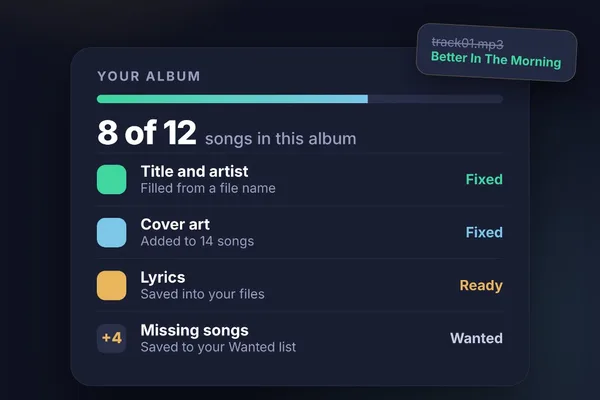
Fix and fill lists every change with the old value crossed out and where the new one came from. Guesses from file names and online years are not ticked: you tick the ones that look right, and nothing changes until you save.
A backup copy and Undo
Before a file is changed, its original is kept on your device as a backup, and the new file is checked before and after it is written. Undo puts the originals back until your next save.
Your music stays with you
Your songs are read on your own device and never uploaded. Only names leave it: artist, album and song names for lookups on our server and in the public music index, and your Wanted list when you are signed in.
Complete your albums
The Complete tab compares your albums with a public index built from MusicBrainz. It shows the albums you own part of, such as 8 of 12, with the songs that are missing, and the studio albums of your artists you do not have yet.
Every 432 Pro counts
Sign in with the same account and a 432 Pro plan from the 432 Player web player or its browser extension, or a 432 Player or 432 Radio plan bought on Android through Google Play, counts as Pro in 432 Librarian too.
How it works
- Step 1
Choose your music folder
Open 432 Librarian, go to the Health tab and tap Choose folders. It reads the tags of your songs and gives your library a health score with a list of what to fix.
- Step 2
Review the fixes
Find fixes lists each change: titles, artists, albums, years, genres, covers and lyrics. Tick the ones that look right.
- Step 3
Save, or undo
The fixes are saved into your own files, with a backup copy. Undo puts the originals back until your next save.
Features
Fix and fill tags
Missing titles, artists, albums, track numbers, years and genres, from the file names, MusicBrainz, our metadata server and the album's other songs.
Album covers
Covers for songs that have none, from the Cover Art Archive and our metadata server; HD covers (1200 px) with a free account where the archive has them.
Synced lyrics
With a free account, lyrics are saved into the song file, and if you like as an .lrc file next to it. Lyrics with a time for each line are marked Synced.
Complete and Wanted
See which songs your albums are missing and keep a Wanted list of songs and albums to get later. Signed in, it syncs with your account on all your devices.
Clean up tags
Fixes titles in all capitals or all lower case, extra spaces, featured artists, track numbers repeated in titles and broken characters, with find and replace (regular expressions too).
432 and 528 files
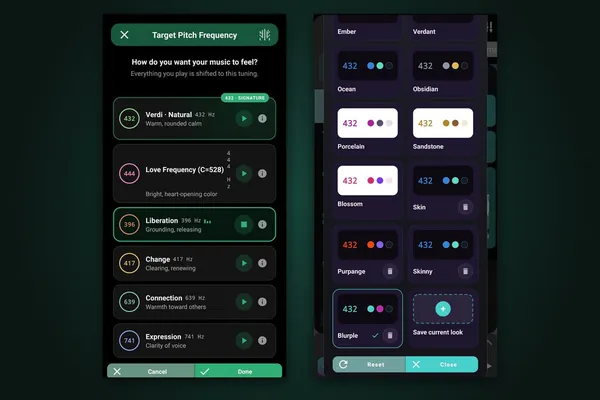
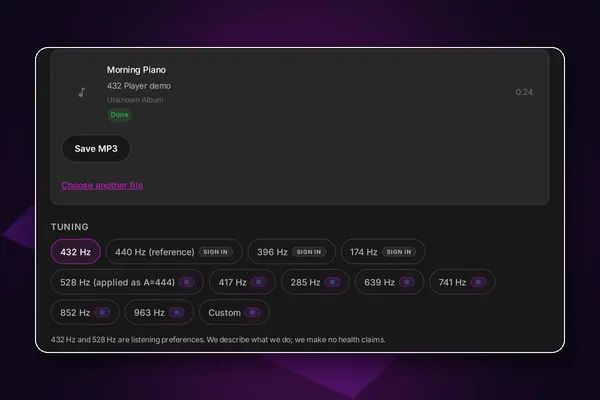
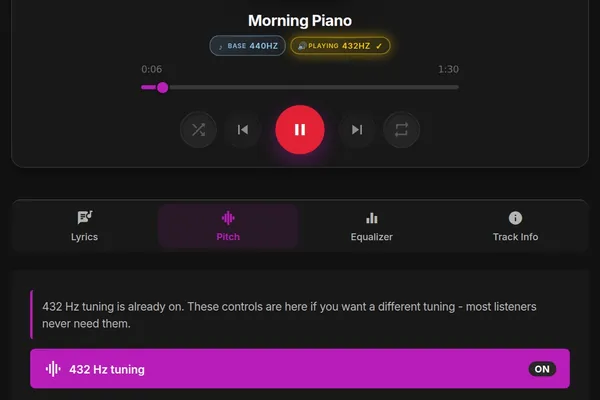
Copies of your songs tuned to 432Hz, or to the 528 mode (A=444Hz), that play in any player. Listen to 20 seconds first; the originals stay as they are.
Convert and Loudness
Copies of songs in another format, and a loudness check of each song (EBU R128) that writes ReplayGain tags, so players that read them play every song at the same loudness.
Rename, duplicates, export
Folders and file names made from the tags, the same song found twice by its audio, and your library as a CSV file for Excel, Numbers or Google Sheets. Renaming, moving and removing duplicates are applied with Pro.
Who it is for
- personYou have a music collection with missing titles, covers or lyrics and want it tidy without fixing each file by hand.
- personYou want to see which songs your albums are missing and keep a list of what to get.
- personYou like 432Hz and want 432Hz copies of your own songs that play in any player.
Built since 2013
432 Player came out on iPhone on 15 April 2013 (its App Store page is archived by the Internet Archive from February 2014) and on Android on 30 November 2014. It is discussed in peer-reviewed research: Ruth E. Rosenberg (University of Illinois Chicago), "Perfect Pitch: 432 Hz Music and the Promise of Frequency," Journal of Popular Music Studies 33(1), 2021.
info432Hz is a listening preference. Our apps are tools for enjoying music, not medical devices, and make no health claims.
Questions and answers
Song titles, artists, albums, track numbers, years, genres, cover art and lyrics. It looks them up in the open MusicBrainz data and other music databases, and shows you every change to review before it is saved.
Yes, to start. Without an account you can check your whole library and fix 25 songs. A free account fixes 100 songs a month and one whole album a day, and uses the audio tools (convert, 432Hz files, loudness) for 3 songs a day. Pro removes the limits.
Yes, when you sign in with the same account: a 432 Pro plan from the 432 Player web player or its browser extension, or a 432 Player or 432 Radio plan bought on Android through Google Play, counts as Pro there too.
Only after you review the changes. Fixes are saved into your own files, with a backup copy and Undo. Your songs stay on your device.
Yes: Tools, then 432 and 528 files. The copies are new files tuned to 432Hz, or to the 528 mode (A=444Hz), that play in any player, and the originals stay as they are. 432Hz is a listening preference; we make no health claims.
In a web browser at 432librarian.com, where Chrome and Edge on a computer can save fixes into your files, and in the Android app on Google Play.
432 Librarian
Fix your music library's tags, cover art and lyrics, and complete your albums. In your browser and on Android.
Updated 29 November 2026