
How to listen to Deezer in 432Hz
To listen to Deezer in 432Hz, play music on deezer.com in Chrome or Edge with the free 432Hz Browser Extension, then open the extension from the toolbar and choose 432Hz. The music is retuned while it plays, with nothing downloaded. You can also search Deezer or paste a Deezer link in 432 Bridge. The Deezer app cannot be retuned.
What works where
| computerComputer | Yes: deezer.com in Chrome or Edge, from the toolbar icon |
|---|---|
| androidAndroid | Not verified: Deezer may block some mobile browsers |
| phone_iphoneiPhone | No |
The quick answer
computerOn a computer
Add the free 432Hz Browser Extension to Chrome or Edge.
Open deezer.com, sign in and play a song, album or Flow.
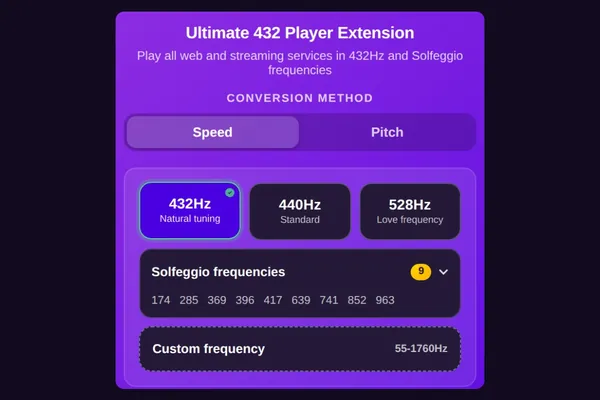
Click the extension's 432 icon in your browser's toolbar and choose 432Hz.
lightbulbOn Deezer, tune from the extension's toolbar icon: that is where you choose 432Hz, and Speed or Pitch.
Add the free extension to ChromeOr play it inside the 432Hz Web Player
In 432 Bridge, search Deezer (results come from Deezer's own catalogue) or paste a Deezer track, album or playlist link, and it plays in Deezer's official widget inside the 432Hz Web Player, retuned by the extension. Deezer's widget may play 30-second previews rather than whole songs, so for full albums use deezer.com in a tab. If Speed does not change the sound, switch to Pitch.
androidDeezer in 432Hz on Android
Lemur Browser with the extension is the route to try, but some users report Deezer refusing mobile browsers.
Install Lemur Browser from Google Play, then add Ultimate 432Hz Converter from the Chrome Web Store inside Lemur.
Open deezer.com in Lemur and sign in. Some users report Deezer saying a mobile browser is not supported; if so, try Desktop site.
Open Lemur's menu, then Extensions, then Ultimate 432Hz Converter, and choose 432Hz. If Speed changes nothing, choose Pitch.
- reportWe have not verified Deezer in Lemur. If the site refuses the browser, Deezer links in 432 Bridge are the fallback, probably as previews.
- reportDeezer short links (deezer.page.link) cannot be played directly in 432 Bridge. Open one once to get the full deezer.com link, then paste that.
- reportThe Deezer Android app cannot be retuned.
phone_iphoneOn iPhone and iPad
Deezer cannot be retuned on iPhone or iPad, and the Deezer app cannot be retuned by another app.
iPhone and iPad browsers cannot run our extension, so no browser route exists there.
For 432Hz on iPhone, 432 Player plays your own music files and 432 Radio plays live radio.
Speed or Pitch on Deezer
Deezer's web player may use protected (DRM) playback. Start with Speed, the default, about 1.8% slower at 432Hz. If you hear no change, switch to Pitch: it retunes the tab's output with the tempo exact, after one click on the extension in that tab.
Questions and answers
The extension retunes whatever deezer.com plays in your browser, on any plan. What you can play depends on your Deezer plan and country.
No, and we do not download streams, and Deezer's offline downloads are not files our converter can open. Retune deezer.com live with the extension, or paste a Deezer link into 432 Bridge; MP3s you own can go through the 432Hz Converter.
Yes, paste the playlist link and it plays in Deezer's widget, retuned by the extension. The widget may limit tracks to previews; deezer.com in a tab plays your full playlists.
On iPhone, no. On Android, you can try deezer.com in Lemur Browser with the extension, but Deezer may not accept that browser, and we have not verified it.