432Hz Browser Extension: Ultimate 432Hz Converter for every tab
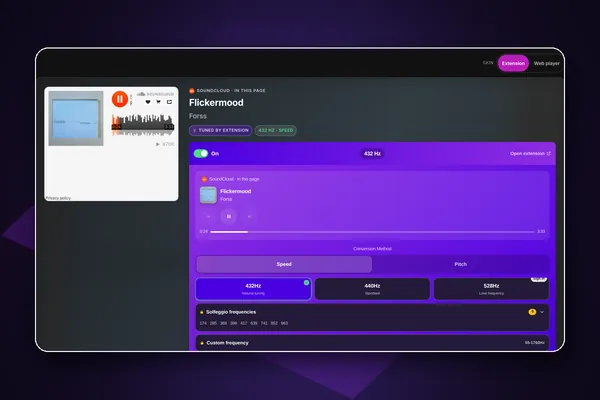
The 432Hz Browser Extension (Ultimate 432Hz Converter on the Chrome Web Store) retunes Spotify, YouTube, Apple Music or any tab with HTML5 audio to 432Hz while it plays. Unlike a file converter, there is nothing to download. 432Hz and 440Hz are free with no account, 528Hz comes with a free account, and Pro adds Solfeggio, custom frequencies and the Studio engine.
- checkFree for 432Hz, no account
- checkPitch mode keeps tempo exact
- checkWorks on any HTML5 player
- checkAudio never recorded or uploaded
Key facts
| Store name | Ultimate 432Hz Converter: 432Hz, 528Hz, Solfeggio - Spotify, YouTube, Tidal |
|---|---|
| Browsers | Chrome 111 and newer, Edge and Brave, installed from the Chrome Web Store. Opera can install it too, but not every feature has been tested there |
| Price | Free. Optional Pro (monthly, yearly or lifetime), shared with the 432hz.live web player |
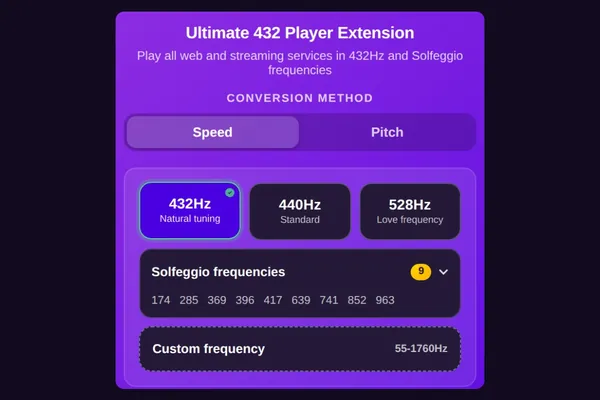
| Tunings | 432 and 440Hz free; 528Hz with a free account; Pro: 9 Solfeggio-style tones and custom 55 to 1760Hz |
| Method | Speed (default; playback rate, about 1.8% slower at 432Hz) or Pitch (exact tempo; Chrome, Edge and Brave) |
| Privacy | Retunes inside your browser. Audio is never recorded or uploaded |
| Languages | 17 |
| Version | 1.9.0, updated 9 October 2026 |
| Users | 10,000 on the Chrome Web Store |
fact_check Facts checked 11 October 2026
workspace_premiumFree vs ProWhat is free in 432Hz Browser Extension and what Pro addsarrow_forwardStep-by-step guides for each music service
How to use the extension on each service, on a computer and on Android:
What makes it different
Two methods, clearly labelled
Speed is light and works on any HTML5 player; at 432Hz the music plays about 1.8% slower, like a record. Speed is the default. Pitch (Chrome, Edge and Brave) captures the tab and shifts only the pitch, so the tempo stays exact. You choose, and we tell you which is which.
The Studio engine
Pro includes Studio, our highest-quality pitch engine based on Signalsmith Stretch. It is the same engine used in the 432hz.live web player, and it keeps the tempo exact.
A frequency button on the player
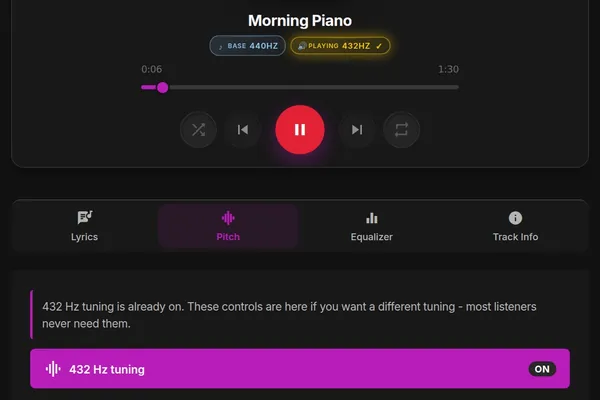
On Spotify, YouTube, YouTube Music and SoundCloud, a small 432 button appears right on the player (on a computer, or on Android in Desktop site mode), so you do not have to open the toolbar. On other sites, tune from the extension's toolbar icon.
One tab at 432, another at 528
Pin any tab to its own frequency. A playlist can run in 432Hz while a video in another tab stays at 440Hz.
A full Audio Lab
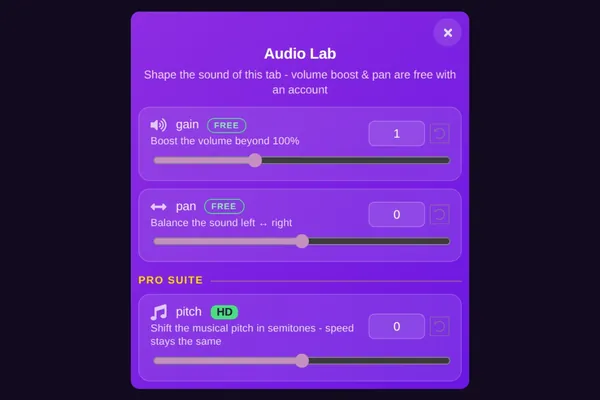
Volume boost and stereo pan are free with an account. Pro adds an equalizer with 10, 20 or 30 bands, delay, mono, reverse and a fine pitch slider (Chrome, Edge and Brave).
How it works
- Step 1
Add it to your browser
Install Ultimate 432Hz Converter from the Chrome Web Store. It is built for Chrome and also works in Edge and Brave.
- Step 2
Play your music
Open Spotify, YouTube, Apple Music or any site that plays audio.
- Step 3
Pick 432Hz
Click the frequency button on the player or in the toolbar. The tab is retuned instantly.
Features
Free tunings
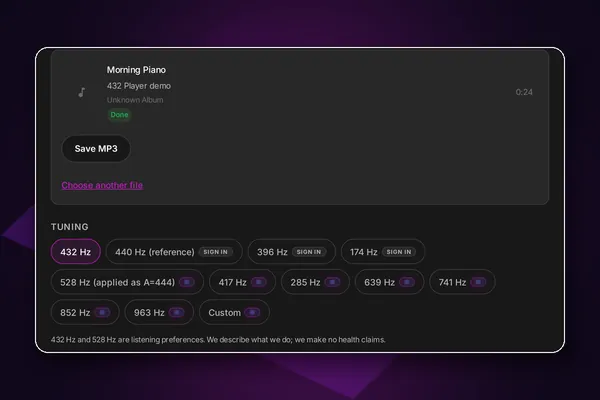
432Hz and 440Hz with no account and no time limit. 528Hz (applied as A=444) with a free account.
Solfeggio and custom Hz
Pro adds 174, 285, 369, 396, 417, 639, 741, 852 and 963Hz, plus any frequency from 55 to 1760Hz. Free users can preview each one.
Works on any HTML5 player
Content scripts run on every site, so most web players can be retuned, not only the big music services.
Ghost Mode
For players that keep resetting their speed, Ghost Mode holds your tuning in place.
Search and playlists
With a free account, search six music services at once and keep playlists, favorites and history synced.
Your 432
A personal listening dashboard and community charts of trending artists and tunings. You can turn listening stats off.
Visual Effects
Adjust brightness, contrast, saturation and more on videos. Basic filters are free with an account.
Skins and shortcuts
Violet and Ocean skins free, more with Pro, plus keyboard shortcuts and a side panel.
Use it with the web player
432 Bridge connects the extension to the Music services page at 432hz.live/discover: play six services in one place, all retuned by the extension, share one tuning both ways, and edit your extension playlists on the web. It also works on Android in Lemur Browser.
Who it is for
- personYou stream on Spotify, YouTube or Apple Music on a computer and want it in 432Hz.
- personYou want a free 432Hz option that works without signing up.
- personYou like to fine-tune: per-tab frequencies, equalizer bands and a choice of pitch engine.
Built since 2013
432 Player came out on iPhone on 15 April 2013 (its App Store page is archived by the Internet Archive from February 2014) and on Android on 30 November 2014. It is discussed in peer-reviewed research: Ruth E. Rosenberg (University of Illinois Chicago), "Perfect Pitch: 432 Hz Music and the Promise of Frequency," Journal of Popular Music Studies 33(1), 2021.
info432Hz is a listening preference. Our apps are tools for enjoying music, not medical devices, and make no health claims.
Questions and answers
Install the 432Hz browser extension, open Spotify in Chrome, Edge or Brave, and click the frequency button on the player to choose 432Hz. The song is retuned instantly, with no download or file conversion.
Only in Speed mode, the default, by about 1.8% at 432Hz, because pitch and tempo move together like a record. Switch to Pitch mode in Chrome, Edge or Brave to keep the tempo exact while only the pitch changes.
Yes. 432Hz and 440Hz are free with no account and no time limit, and 528Hz is free with an account. Pro adds Solfeggio tones, custom frequencies from 55 to 1760Hz, the Studio engine and the full Audio Lab.
No. The extension retunes audio inside your browser and never records, stores or uploads it. It does collect usage analytics and, unless you turn it off, listening stats such as which tuning you used; our privacy policy lists exactly what.
Almost every site: it works wherever HTML5 audio or video plays. Some DRM-protected or canvas-based players give Speed mode nothing to adjust; Pitch mode in Chrome, Edge or Brave retunes the whole tab's sound instead.
On Android, yes, in Lemur Browser, which installs Chrome Web Store extensions; Chrome for Android cannot. Our Android guide shows the steps. There is no Firefox version on Firefox Add-ons; use Chrome, Edge or Brave on a computer, or Lemur on Android.
Studio is the extension's highest-quality pitch engine, based on Signalsmith Stretch, and it keeps the tempo exact. It comes with Pro and is the same engine as in the 432hz.live web player.
432Hz Browser Extension
Spotify, YouTube and any tab in 432Hz, with one click.
Works well with
 432Hz Web Playerarrow_forwardSame Pro plan; also plays your own files and 30,000+ radio stations.
 432 Bridge (Music services)arrow_forwardPlay its six services in the web player, with one tuning shared both ways.
 432Hz Converterarrow_forwardWhen you want a 432Hz file rather than live playback.
Further reading
Updated 12 October 2026