432Hz Converter: turn any song into a 432Hz file, in your browser
The 432Hz Converter is a free web tool that turns a song file (MP3, WAV, FLAC, M4A, AAC or OGG) into a 432Hz version in your browser, so nothing is uploaded. Unlike converters that change the sample rate, it keeps the exact length and tempo. A few free conversions a day; Pro adds more, longer tracks, batch mode and 24-bit WAV.
- checkNothing uploaded
- checkSame length and tempo
- checkMP3 or 24-bit WAV
- checkTitle, artist and cover kept
Key facts
| Where | 432hz.live/convert in a modern browser on a computer or phone |
|---|---|
| Price | Free with daily limits. Optional Pro, shared with the web player and the browser extension |
| Input | MP3, WAV, FLAC, M4A, AAC, OGG, Opus, up to 200 MB |
| Output | MP3 192 kbps (free); WAV 16 or 24-bit (Pro). No FLAC output |
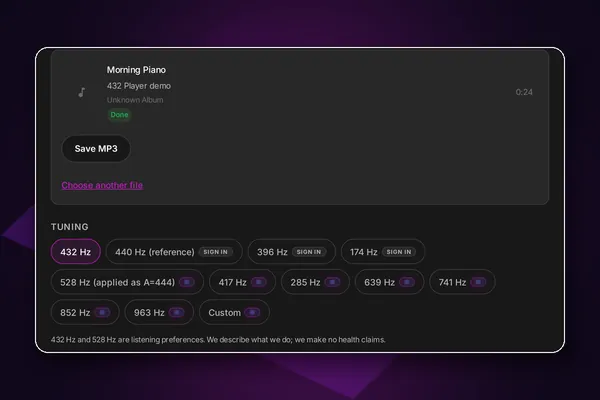
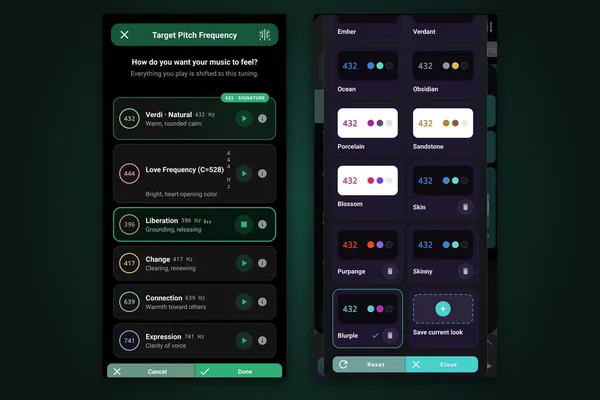
| Tunings | 432Hz free; 440, 396, 174Hz with a free account; Pro adds 528Hz (A=444), 285, 417, 639, 741, 852, 963Hz and custom A 144 to 1296Hz |
| Method | Offline pitch shift with tempo and length kept; Classic (SoundTouch) or Studio (Signalsmith Stretch, Pro) engine; 32-bit float |
| Privacy | Runs in your browser. Files are never uploaded |
| Limits | No account: 1 a day. Free account: 5 a day. Pro: 15 a day. Up to 5 minutes per song, 10 with Pro |
| Languages | 10 interface languages |
| Latest update | September 2026: batch mode, 24-bit WAV by default, faster WAV export |
fact_check Facts checked 11 October 2026
workspace_premiumFree vs ProWhat is free in 432Hz Converter and what Pro addsarrow_forwardWhat makes it different
Your files never leave your device
Decoding, retuning and encoding all happen in your browser. There is no upload step, so private recordings stay private.
Exactly the same length
The converter measures the engine's delay and trims it, so the 432Hz file is exactly as long as the original and the tempo is unchanged. Some converters change the sample rate instead, which also slows the song by about 1.8%.
A careful audio path
Each file is decoded at its own sample rate (8 to 96 kHz) to avoid an extra resampling step, processed in 32-bit float, and can be saved as 16 or 24-bit WAV with Pro.
Hear it before you save it
A 15-second A/B loop from the middle of the song lets you switch between original and 432Hz as often as you like.
Song details are kept
Title, artist, album and cover art are copied to the new file, with a note that it was retuned to 432Hz.
How it works
- Step 1
Drop a song
MP3, WAV, FLAC, M4A, AAC, OGG or Opus, up to 200 MB.
- Step 2
Compare
Play the A/B preview and choose your tuning.
- Step 3
Download
Save a 432Hz MP3, or a WAV with Pro, ready for any player.
Features
Free every day
1 conversion a day without an account, 5 a day with a free account, songs up to 5 minutes. No watermark.
Pro limits
15 conversions a day, songs up to 10 minutes, on phones too.
Batch mode
Convert several songs at once and download them as one ZIP on a computer (Pro).
Tunings
432Hz free; 440, 396 and 174Hz with a free account; 528Hz (A=444), other Solfeggio tones and custom A from 144 to 1296Hz with Pro.
Source tuning
Tell the converter the song was recorded at 440, 432 or 444Hz so the result is exactly in tune; custom source with Pro.
Studio engine
Choose Classic or, with Pro, Studio (Signalsmith Stretch).
Keep listening
Add the converted song to your 432hz.live library and play it right away.
Quota synced
Your daily count follows your account, resets at midnight UTC, and works across devices.
Who it is for
- personYou want 432Hz versions of your songs to play in any app, car or speaker.
- personYou care about privacy and do not want to upload your music anywhere.
- personYou produce or archive music and want a 24-bit WAV at the original length.
Built since 2013
432 Player came out on iPhone on 15 April 2013 (its App Store page is archived by the Internet Archive from February 2014) and on Android on 30 November 2014. It is discussed in peer-reviewed research: Ruth E. Rosenberg (University of Illinois Chicago), "Perfect Pitch: 432 Hz Music and the Promise of Frequency," Journal of Popular Music Studies 33(1), 2021.
info432Hz is a listening preference. Our apps are tools for enjoying music, not medical devices, and make no health claims.
Questions and answers
No. The 432Hz Converter decodes, retunes and encodes your song inside your browser, so the file never leaves your device.
No. The converted file has exactly the same length and tempo as the original; only the pitch is lowered.
WAV at 24-bit (Pro) keeps everything the engine produces, with no compression. MP3 at 192 kbps is smaller and works everywhere. There is no FLAC output.
Yes. You can convert 1 song a day without an account or 5 a day with a free account, up to 5 minutes each, with no watermark. Pro raises this to 15 a day and 10 minutes, and adds batch mode and WAV.
Yes, with Pro. 528Hz is applied as A=444Hz, which puts C at about 528Hz. Other Solfeggio tones and custom frequencies are also Pro.
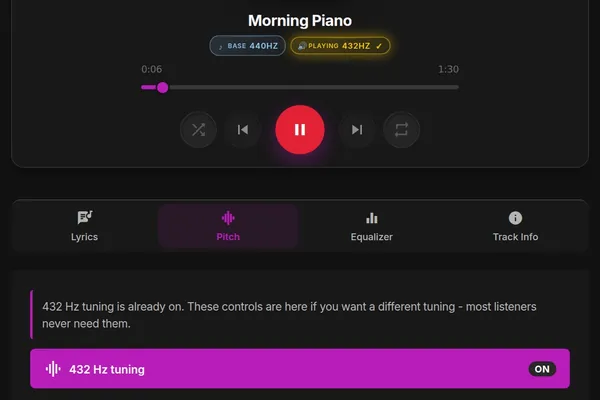
Use the converter when you want a 432Hz file to keep or play in another app. Use 432 Player, the web player or the extension to hear anything in 432Hz instantly, including streaming and radio, without making files.
432Hz Converter
Turn songs into 432Hz MP3 or WAV files. Same tempo, no upload.
Updated 12 October 2026